5月
22
WinRARの自己解凍ウインドウに表示するテキストのXSS
Warning: preg_match(): Compilation failed: invalid range in character class at offset 4 in /home/users/0/fool.jp-pentest/web/n/wordpress/wp-content/plugins/lightbox-plus/classes/shd.class.php on line 1384
Warning: preg_match_all(): Compilation failed: invalid range in character class at offset 4 in /home/users/0/fool.jp-pentest/web/n/wordpress/wp-content/plugins/lightbox-plus/classes/shd.class.php on line 700
Warning: foreach() argument must be of type array|object, null given in /home/users/0/fool.jp-pentest/web/n/wordpress/wp-content/plugins/lightbox-plus/classes/shd.class.php on line 707
Warning: preg_match_all(): Compilation failed: invalid range in character class at offset 4 in /home/users/0/fool.jp-pentest/web/n/wordpress/wp-content/plugins/lightbox-plus/classes/shd.class.php on line 700
Warning: foreach() argument must be of type array|object, null given in /home/users/0/fool.jp-pentest/web/n/wordpress/wp-content/plugins/lightbox-plus/classes/shd.class.php on line 707
圧縮・解凍ユーティリティ「WinRAR」のすべてのバージョンにXSSがあるとのことなので試してみました。
試した環境は
Windows 8.1上にインストールした
日本語版の最新版である[5.01]
英語版の最新版である[5.21]
です。
以下は再現の手順です。
(日本語版、英語版の併記をしています。)
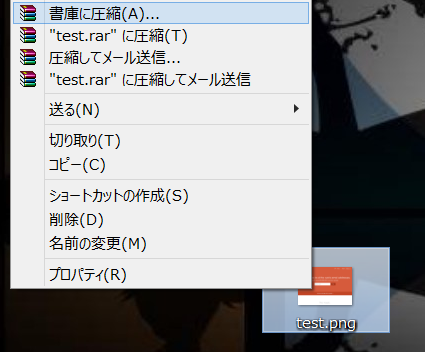
1. 適当なファイルを右クリックして[書庫に圧縮][Add to archive]を選択。
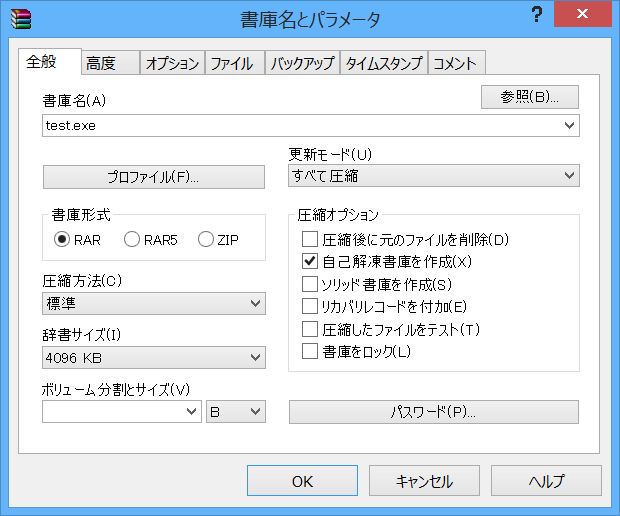
2. 開いたウインドウで[自己解凍書庫を作成][Create SFX archive]にチェック
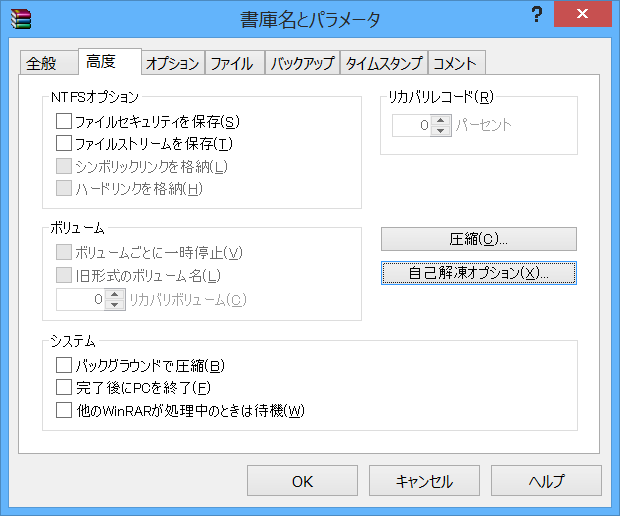
3. [高度][Advanced]タブを開き[自己解凍オプション][SFX options]をクリック
4. [テキストとアイコン][Text and icon]タブを開き
[自己解凍ウインドウに表示するテキスト][Text to display in SFX windows]内に任意のXSS文字列を記入。
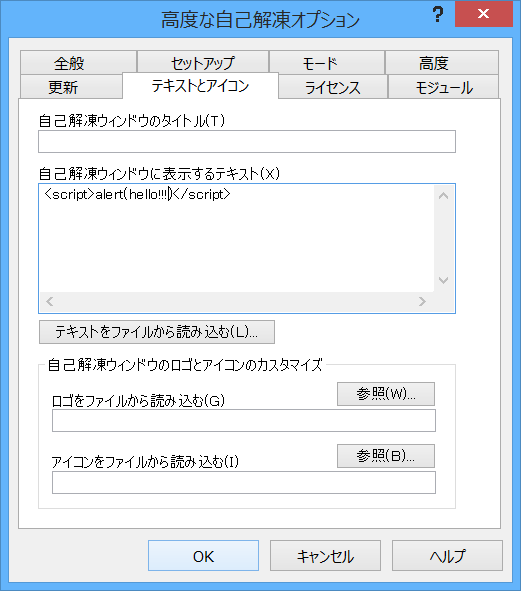
これで出来上がったファイルを開いたタイミングでスクリプトを実行させることができました。
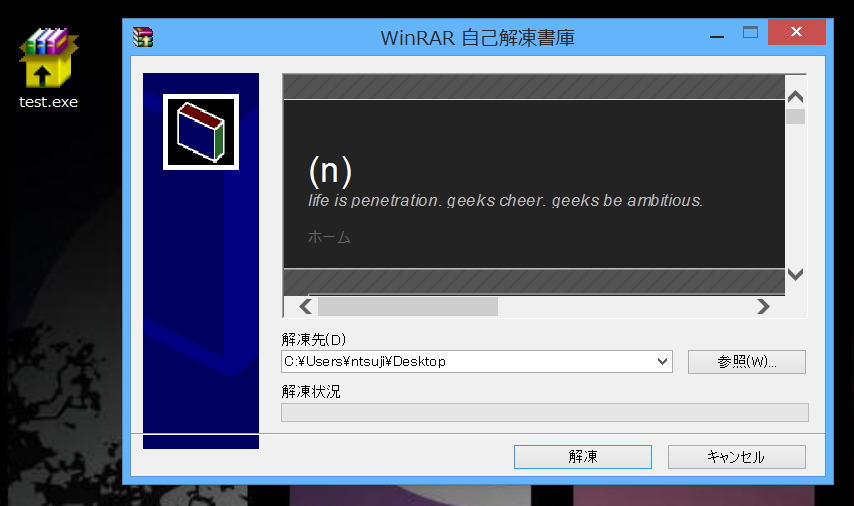
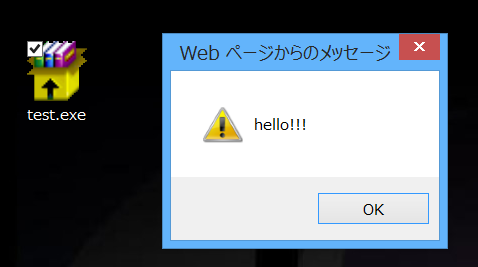
以下は開いた結果です。
・ <script>alert(‘hello!!!’);</script>の場合
・ <script>document.location.href=”http://n.pentest.ninja/”</script>の場合